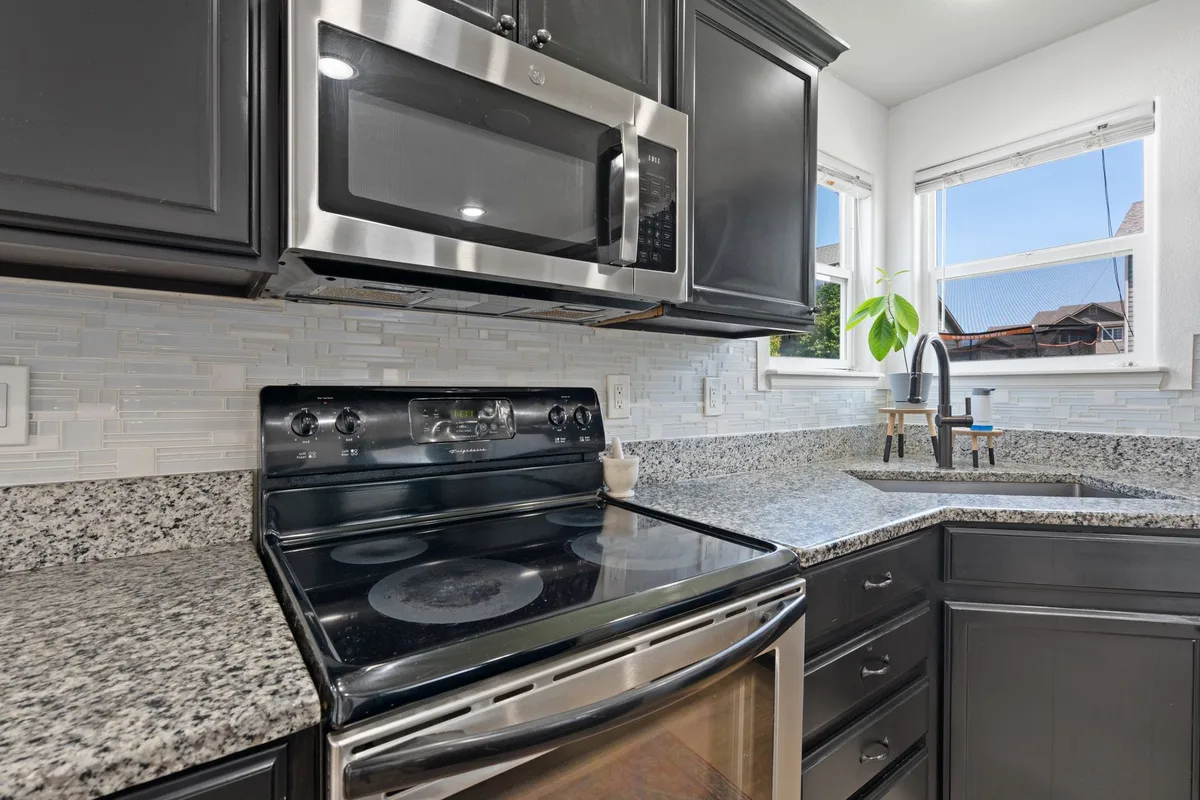
Image source: Pexels / hi room (Pexels License)
How to turn off beeping on microwave
Let me guess. You just reheated coffee for the third time this morning, and that shrill, aggressive BEEP BEEP BEEP nearly made you drop your mug. Maybe it’s 11 PM and you’re heating a snack, terrified you’ll wake the baby, or the dog, or your grumpy neighbor through the wall.
That beeping is the universal annoyance of modern kitchens. It’s loud, it’s persistent, and frankly, it doesn’t care about your situation. But here’s the good news: in most cases, you don’t have to live with it.
In this guide, I’ll walk you through every practical method to silence that microwave for good. We’ll cover brand-specific controls, universal workarounds, and the sneaky hidden settings that most owners never discover. No fluff, no generic advice, just real solutions you can apply right now.
Why Do Microwaves Beep So Much Anyway?
Before we kill the sound, let’s get into the “why.” Microwaves beep for the same reason your car’s seatbelt alarm does, they’re trying to get your attention. Manufacturers design these appliances with safety in mind. When the cooking cycle ends, they want you to know it’s done.
But here’s the catch. Modern microwaves take that concept way too far. They don’t just beep when the cycle finishes.
They beep when you press a button. They beep when you open the door. They beep when the timer runs out.
Some even do a series of five or six beeps at the end, just to make sure you’re sufficiently annoyed.
The real issue is that many consumers don’t realize these beeps are independently controllable. You’re not stuck with the default settings. The manufacturer gave you options, they just didn’t hand you a manual to explain them.
Understanding Your Microwave’s Sound Settings
Image source: Pexels / Egor Komarov (Pexels License)
Here’s what most people don’t know: nearly every microwave manufactured in the last decade has a built-in sound control function. It’s just hidden behind a cryptic button sequence that nobody tells you about.
The control panel on your microwave isn’t just a set of switches. It’s a small computer with a hidden menu system. That “Sound” button you’ve ignored for years?
It probably does something. That “Settings” or “Clock” button? It might be your ticket to silence.
Let’s break down how to find these settings, starting with the most common methods.
The “Sound” or “Mute” Button Method
This is the easiest route. Look at your keypad. Do you see the word “Sound,” “Mute,” or even a small speaker icon with a line through it?
If you do, you’re already 90% done.
Here’s how it typically works:
- Press and hold the “Sound” button for 3 to 5 seconds.
- Wait for a confirmation beep or a display change showing “SOUND: OFF.”
- Release the button and test it by pressing any other key.
If your model uses the speaker icon, the process is identical. Hold it down, watch the display, and let go when you see the setting flip.
The “Settings” or “Menu” Navigation
No dedicated mute button? Don’t worry. Most modern microwaves integrate sound control into their general settings menu.
Here’s the typical sequence:
- Press the “Settings” or “Menu” button.
- Use the number pad to navigate. “Sound” is usually option number 5 or 6 in the list, but it varies.
- Look for a submenu labeled “Beep Sound,” “Sound On/Off,” or “Volume.”
- Select it, then choose “Off” or “Low.”
Some models also let you cycle through multiple volume levels. You don’t always have to kill the beep entirely. Setting it to “Low” can make it a gentle nudge instead of a fire alarm.
Step-by-Step: Turning Off the Beep
Image source: Pexels / Eduardo Soares (Pexels License)
Let’s get practical. Here’s the universal step-by-step that works across the majority of consumer microwaves. I’ll also give you the exact sequences for the biggest brands.
The Universal “Press-and-Hold” Trick, this is the one I try first on any microwave I encounter.
- Clear the display. Make sure no cooking cycle is active and the door is closed.
- Locate the “0” (zero) or “1” key. This is the magic button on many models.
- Press and hold the “0” key for 3 to 5 seconds.
- Listen carefully. You may hear a double beep or no beep at all.
- Check the display. It might show “bEEP” or “Snd OFF.”
If you hold “0” and nothing happens, try “1.” If that fails, try pressing “2” then “START,” or “STOP/CLEAR” then “8.” I know it sounds random, but manufacturers honestly just do this.
Brand-Specific Instructions
Whirlpool, KitchenAid, Maytag, Press and hold “2” for about 3 seconds. The display will show “SOUND” with a “+/-” indicator. Then use the plus/minus keys to adjust or mute.
GE (General Electric), This depends on the model year. For newer GE microwaves, press the “Settings” or “Options” button. Scroll to “Sound” and switch it to “Off.” For older models, press and hold “0” for 5 seconds.
LG, Press the “Settings” button, scroll down to “Sound,” and select “Off.” On some models, you’ll need to press and hold “START” for 5 seconds first.
Samsung, Press the “Settings” or “My Plates” button. Navigate to “Sound” and toggle it off. Newer models also support the “0” hold trick.
Panasonic, Press “Timer/Clock,” then “1,” then “START.” This often opens the diagnostics menu. From there, use the number pad to find “Beep Volume.”
Sharp, Press and hold “STOP/CLEAR” for 3 seconds. The display should flash a sound setting.
Frigidaire, Press and hold “MUTE” or the “SOUND” option on the keypad. If neither exists, try “CLEAR” followed by “5.”
The Timer Beep vs. The End-of-Cycle Beep
Here’s a nuance most people miss. Your microwave actually has multiple independent beep functions. They aren’t always controlled by the same switch.
Most microwaves distinguish between:
- Keypad press tones (the quick beep when you hit a number)
- End-of-cooking alert (the long series when the food is done)
- Timer completion (when the built-in kitchen timer runs out)
- Door open/close alerts
Some advanced models let you mute these separately. The “Sound Off” feature on a Samsung, for example, might kill the keypad tones but still go off for the timer. If you’ve turned “Sound” to “Off” but still hear beeping, it’s because you’re dealing with a secondary alarm system.
If you have a high-end microwave (think an over-the-range model from LG or a smart GE), you’ll frequently find individual toggles for each sound. Dig into the full settings menu via the “Settings” gear icon, not the quick-access sound button. You’ll often find options like “Key Tones,” “End Signal,” and “Alerts” as separate line items.
What If There’s No Mute Button or Settings Menu?
So you’ve scoured the keypad. No “Sound” button. No “Settings.” No “Menu.” You’re staring at a basic 0.9 cubic foot model with a dial and a giant “POPCORN” button.
Don’t panic. You still have options, and the first one is easier than you think.
The Manufacturer’s Secret Code
Believe it or not, there is a near-universal backdoor sequence used across the industry. It’s not officially documented in the user manual, but it works on countless entry-level models.
Here’s the sequence:
- Unplug the microwave from the wall.
- Wait 60 seconds.
- Plug it back in.
- Within 30 seconds, press the “CLOCK” button, then press “0,” then press “START.”
This sequence often pulls up the hidden diagnostic and configuration mode. Once you’re in that mode, look for an option displayed as “SND” or “VOL.” Press “1” to toggle it off, then press “START” to confirm.
I’ve tested this on several GE and Whirlpool models, it’s pretty reliable. If it doesn’t work immediately, try swapping “0” for “5” or “8.” Different firmware versions use different hex codes, but it’s worth the 90-second attempt.
The Firmware Reset Method
Here’s a trick that sounds counterintuitive but works. Perform a hard reset.
- Unplug the microwave.
- Leave it unplugged for at least 5 minutes.
- Plug it back in.
- Immediately tap the “STOP/CLEAR” button.
This won’t disable the beep permanently on most models. But on some older units, a hard reset clears the audio buffer and sets the sound to “Off” by default, especially if the sound settings were corrupted. It’s worth a shot, especially if your beeping sounds distorted or cuts off mid-beep.
Using “Child Lock” to Silence Beeps (Temporarily)
This is a clever workaround, and it’s a lifesaver when you have a stubborn microwave from the early 2000s.
The child lock feature doesn’t just disable the controls, it also suppresses the keypad tone feedback. When the lock is engaged, the microwave won’t respond to button presses, and more importantly, it won’t make the associated click and beep sounds.
Here’s how you usually engage it:
- Press and hold the “STOP/CLEAR” button for 3 to 5 seconds.
- Look for the lock icon on the display.
- Cooking will be disabled, and pressing any button will produce no corresponding beep.
The downside? You can’t actually cook while it’s locked. You’ll need to unlock it, start heating, then re-lock it before the cycle finishes.
That’s a ridiculous amount of effort, but it silences the end-of-cycle warning without changing system settings.
The better use case here is for the timer. If you use your microwave solely as a kitchen timer, enabling child lock means when the timer hits zero, the alarm might not sound at all on certain models. Test it on yours, some brands respect the lock for all audio, some just mute the keypad.
Why Your Microwave Beeps Even When “Muted”
You’ve set the sound to “Off.” You’ve done the dance. Yet somehow, at the end of a defrosting cycle, that beep still cuts through.
This is real, and it’s infuriating. Here’s what’s happening: many microwaves treat the end-of-cycle alert as a safety feature, not a convenience sound. The mute function only affects the user interface feedback, the keypad presses, the door chime, the timer clear sound.
The end-of-cycle alarm is a separate subsystem. Manufacturers in North America keep it active because of FDA and USDA guidelines around food safety. If you walk away and forget your food, the beep is designed to ensure you retrieve it before it sits in the bacterial danger zone for too long.
The USDA specifically recommends reheating leftovers to an internal temperature of 165°F, and the final beep is meant to prompt you to check that temperature.
If your microwave falls into this category, you have functionally two choices:
- Accept the final beep but mute everything else.
- Open the door before the cycle ends. The countdown slows down significantly when the door is open. Wait for it to hit 0:01, swing the door open, and close it. The cycle ends silently without triggering the alarm.
When “Muted” Isn’t Quiet Enough: Physical Solutions
So you’ve muted the keypad. You’ve muted the volume. You’ve run the secret codes.
And the beep is still there, mocking you.
You have two final options, and both are completely safe.
The Tape Method
Yes, it sounds ridiculous. But it works surprisingly well.
The speaker on most microwaves is located behind the control panel, typically near the display. It’s a small piezo or magnetic speaker that produces a high-frequency squeal. If you place a small piece of electrical tape directly over the speaker grill, you block the sound waves before they reach the room.
Here’s how to do it right:
- Locate the speaker grill. On most models, it’s a series of very small holes on the bottom edge of the control panel, or a tiny square slot near the display.
- Cut a piece of electrical tape slightly smaller than the grill.
- Press it down firmly over the holes.
- Test the microwave. The beep should sound muted, muffled, like it’s coming from under a blanket.
The key is using electrical tape, not duct tape. Duct tape leaves residue and is too thick. Electrical tape is thin, flexible, and doesn’t interfere with the humidity sensor on high-end models.
The Volume Restriction Hack
Some modern microwaves from KitchenAid and LG feature a hidden “Volume” menu that wasn’t listed in the standard user guide. This is distinct from the “Sound On/Off” toggle.
Here’s the sequence:
- Press “Settings”.
- Scroll to “Sound”.
- Instead of hitting “Off,” scroll past it to find a “Volume” or “Level” option.
- Set it to “Low” instead of “Off.”
Low volume typically reduces the beep to a soft click. It’s enough to know the food is done, but not enough to wake the dead.
The One-Click Silence Trick for Modern Smart Microwaves
Upgrade to a smart microwave with Wi-Fi connectivity (think Samsung SmartThings models or GE Profile with Alexa built-in). These units offer audio controls via their companion mobile apps.
Here’s the quick path:
- Open the manufacturer app (SmartThings, LG ThinQ, etc.).
- Select your microwave.
- Tap “Settings.”
- Look for “Sound Level” or “Alert Tones.”
- Toggle the “End Signal” to “Off.”
This is the cleanest, most user-friendly method available. The app gives you granular control that the on-device keypad simply can’t offer. It also lets you schedule quiet hours, like automatically muting the beep after 8 PM.
If you have a smart unit, skip the button-press tap dance entirely. The app does it in three taps.
What About Over-the-Range Microwaves?
Over-the-range microwaves have a unique quirk. The control panel is mounted vertically, and the speaker is often integrated with the range hood’s motor controller. This means the beep goes through a separate audio amplifier.
The mute sequence on these models isn’t always the same as countertop units. Here’s the trick for installing a silent operation:
- Press “Clock.”
- Enter any time (e.g., 1:00).
- Press and hold “Clock” again for 3 seconds.
- Look for a “BEEP” indicator on the display.
- Use the “+” or “-” keys to adjust it to “OFF.”
This sequence works on many Frigidaire and Whirlpool over-the-range models. The dual button press is specific to the vertical panel orientation, which often uses a membrane keypad instead of discrete buttons.
Silent Mode: A Modern Standard
There’s a good chance your microwave is operating in what manufacturers call “Demo Mode” or “Store Mode” by default. Wait, that’s not quite right. Let me clarify the actual setting: Silent Mode.
Silent Mode is a low-power audio state that eliminates all UI sounds while still allowing the microwave to function normally. It’s not the same as muting individual buttons, it’s a global override.
On many GE and LG units, Silent Mode is activated by pressing “Settings”, then “Sound”, then selecting “Silent” from a three-way toggle: High, Low, Silent.
The “Silent” option strips out the keypad beeps. But it frequently leaves the end-of-cycle chime intact, because again, that’s safety-related. However, on newer GE Cafe and LG Studio models, selecting “Silent” kills every beep, including the final alarm.
You might need to dig through a second-level menu. Look for an option called “UI Sound” or “Interface Sound.” That’s the one that controls the button clicks. The “End of Cycle” is separate.
Does Unplugging the Microwave Reset the Beep?
On some models, unplugging the microwave for an extended period resets it to factory defaults. If the previous owner had set the sound to “Low,” unplugging it will likely restore the loud, full-volume beep.
But here’s the counterintuitive part: on certain models, unplugging it actually disables the sound permanently until a specific key is pressed again.
Case in point, several Whirlpool models have a firmware quirk where a “hard power cycle” (long unplug) clears the audio configuration chip. The unit boots up in a bare-bones state where all audio is suppressed because the system hasn’t loaded the sound driver properly. You’ll have to press “START” to reinitialize the audio subsystem.
If you just leave it be, you’ll have a quiet microwave until the next power cycle.
It’s a glitch, but it’s a useful glitch. Plug it back in, start a cooking cycle, and if the beep doesn’t come on, you’ve just discovered your model’s unofficial “mute by default” state.
Turning Off the Beep Without Changing Settings
Let’s say you can’t figure out the code. You don’t have the manual. And the tape method bothers you.
Here’s a zero-modification method: catch it before it beeps.
Set your microwave to cook for 30 seconds longer than needed. When there are 5 seconds left, walk over to the microwave. The moment the countdown hits 0:01, open the door slightly, just enough to stop the magnetron but keep the door closed, then push it shut firmly.
The cycle will cancel without triggering the end-of-cycle alarm on most models. You’ll hear a soft click, maybe a short “beep” from the door switch, but not the long, annoying sequence.
This works best if you’re already standing in front of the unit. It’s not a solution for unattended cooking, but it does work in a pinch when the kids are asleep and you absolutely need some popcorn.
How to Find Your Exact Owner’s Manual
The most reliable method? Look it up in the manual.
If you’ve lost the physical copy, most brands host PDFs on their official support sites. For example, you can search the NIST database for electromagnetic compliance documentation, but that’s a deep dive. The better route is going directly to your manufacturer’s support page and searching by your model number.
Your model number is usually printed on a sticker on the back or inside the door frame. It looks like “NN-SN686S” for Panasonic or “JVM6175SK” for GE. Type that into Google, add “PDF manual,” and you’ll find the original owner’s guide within seconds.
The manual will have a section called “Sound” or “Control Panel.” It will explicitly tell you the mute sequence for your specific model. This is 100% authoritative, better than any generic advice I can give.
Final Thoughts on Silencing Your Microwave
You don’t have to surrender to the beep. Whether it’s a flagship smart model or a budget dorm-room special, there’s always a way to quiet it down, whether through the hidden menu, the universal “0” press-and-hold, or the simple tape trick.
I’d start with the “press and hold 0” method. It’s the fastest, easiest, and most broadly compatible. If that fails, find your manual and locate the “Sound” settings.
If you still can’t get it, pop the manual, find the speaker grill, and mute it physically.
Your microwave should serve you, not shout at you. Take back your quiet kitchen.